
Comparison
Claspt vs 1Password
When you need more than a password manager.
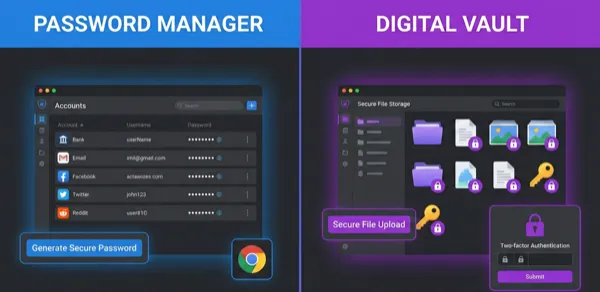
1Password is the best browser autofill tool. Claspt is for people who want notes and secrets in one encrypted vault. Different tools for different needs.
When to choose 1Password
- Browser autofill is your #1 requirement
- You need team/enterprise password sharing
- Polished consumer experience, vendor lock-in OK
When to choose Claspt
- Notes and secrets in the same place
- Portable
.mdfiles, not proprietary database - Flexible secret schemas
- Built-in Git versioning
- Self-hosted sync
- Developer: keyboard shortcuts, code highlighting, markdown
Feature comparison
| Feature | 1Password | Claspt |
|---|---|---|
| Data format | Proprietary database | Plain markdown files (.md) |
| Note-taking | Basic secure notes (plain text) | Full markdown editor with CodeMirror 6 |
| Encryption approach | Full-vault encryption (AES-256) | Per-block encryption (AES-256-GCM) |
| Portability | Export to CSV/1PUX | Files are already portable .md |
| Git versioning | No | Built-in auto-commit + remote sync |
| Secret templates | Fixed types (login, card, identity) | Custom schemas with any fields |
| Browser autofill | Excellent — industry-leading | No browser extension |
| Offline-first | Partial (needs initial setup online) | Fully offline, no account needed |
| Free tier | 14-day trial only | Free forever (desktop) |
| Pricing | $2.99/mo (individual), $4.99/mo (family) | Free / $5/mo Pro |
Honest limitations
Claspt has no browser autofill. If you auto-fill 50 passwords a day, 1Password is the better tool. But if you manage 50 complex credentials with context, runbooks, and notes alongside them, Claspt is built for that workflow.
Also compare
Try Claspt Free
Notes and secrets in one encrypted vault. Free forever on desktop.